
Lovense Device Connection Guide
🎯 Objective#
Connect your Lovense toy to Second Life using the Lovense Connect app for an enhanced interactive experience with our Real Ass Spanker system.
📋 Prerequisites#
Before starting, make sure you have:
- Lovense toy (any compatible model)
- Smartphone (Android or iOS)
- Lovense Connect app (not Lovense Remote)
- Real Ass Spanker with Lovense integration enabled
Important: You need Lovense Connect, not Lovense Remote. They are different apps!
🚀 Step-by-Step Setup#
Step 1: Download and Install#

- Open your phone's app store (Google Play or App Store)
- Search for "Lovense Connect"
- Download and install the app
- Open the app once installation is complete
💡 Tip: Make sure Bluetooth is enabled on your phone before proceeding.
Step 2: Connect Your Toy#
- Power on your Lovense toy
- Open Lovense Connect app
- Tap the "Add toy(s)" button in the main menu
- Select your toy model from the list
- Wait for Bluetooth pairing to complete
- Confirm your toy appears as "Connected" in the app
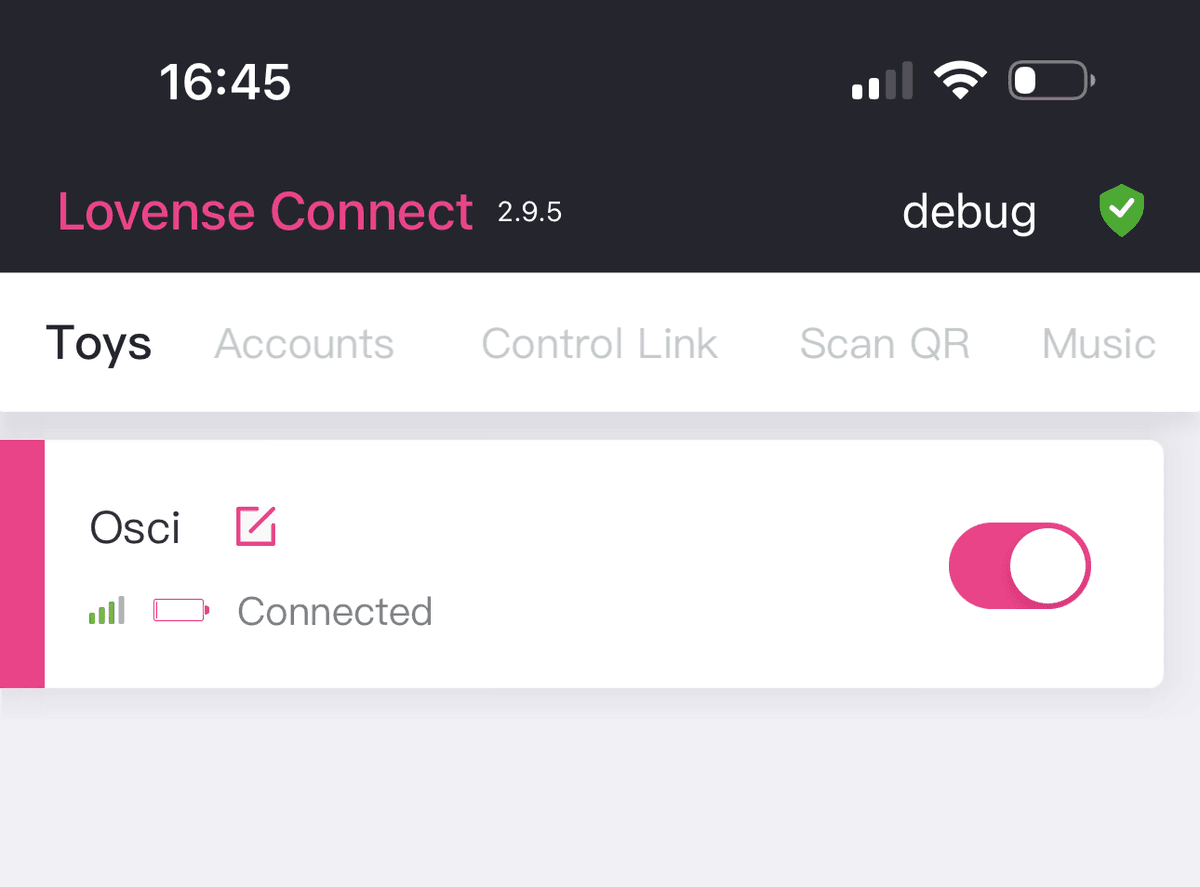
Step 3: Configure in Second Life#
Now let's connect everything to Second Life:
- Wear your Real Ass Spanker in Second Life
- Click on the spanker to open the menu
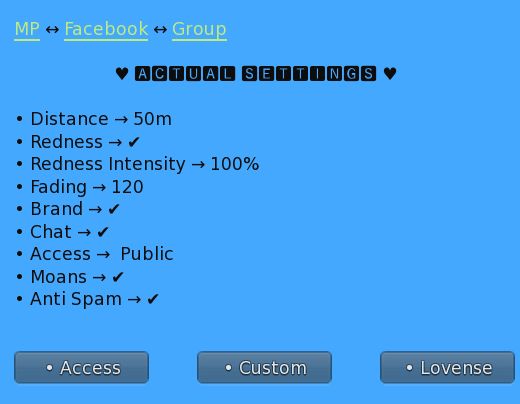
- Navigate to "Lovense" button
- Click "Generate QR" to create your personal QR code
- Ensure the "Enabled" checkbox is marked ✅
Step 4: Link via QR Code#
This is where the magic happens:
- Return to Lovense Connect app on your phone
- Tap "Scan QR" option
- Point your camera at the QR code displayed in Second Life
- Wait for the scan to complete
- Verify your Second Life name appears in the app

⚠️ Warning: The QR code is unique to your avatar. Never share it with others!
Step 5: Final Verification#
Let's make sure everything works:
- Test the spanker functionality in Second Life
- Check that your toy responds to interactions
- Try different intensity settings
- Verify connection stability
🎨 Advanced Configuration#
Intensity Settings#
You can adjust the response intensity:
| Setting | Description | Recommended For | |---------|-------------|-----------------| | Low | Gentle vibrations | First-time users | | Medium | Balanced response | Regular use | | High | Strong feedback | Experienced users | | Custom | User-defined patterns | Advanced users |
Connection Modes#
Choose your preferred connection mode:
- Direct Mode: Instant response, requires stable connection
- Queue Mode: Buffers commands, better for unstable connections
- Pattern Mode: Pre-programmed patterns, works offline
🔧 Troubleshooting#
Common Issues and Solutions#
Toy not connecting to app:
- Ensure Bluetooth is enabled
- Check toy battery level
- Try restarting both toy and app
- Move closer to your phone
QR code not scanning:
- Increase screen brightness in SL
- Adjust camera angle
- Clean phone camera lens
- Try regenerating the QR code
Connection drops frequently:
- Check internet stability
- Reduce distance between phone and toy
- Close other Bluetooth apps
- Update Lovense Connect app
💡 Pro Tips#
- Battery Life: Keep your toy charged above 20% for optimal performance
- Privacy: Use private mode in the app when in public spaces
- Multiple Toys: You can connect up to 5 toys simultaneously
- Sound: Enable sound notifications for connection status updates
📱 App Features#
The Lovense Connect app offers:
- Real-time control from Second Life
- Connection monitoring with status indicators
- Battery level display
- Signal strength meter
- Activity log for troubleshooting
🔒 Privacy & Security#
Your privacy is important:
- All connections are encrypted
- QR codes expire after 24 hours
- No personal data is stored on our servers
- You can disconnect at any time
🎯 Quick Checklist#
Before your first session, confirm:
- Lovense Connect app installed (not Remote)
- Toy paired via Bluetooth
- QR code scanned successfully
- Second Life name visible in app
- Test vibration working
- Comfortable intensity selected
💬 Need Help?#
If you experience any issues:
- Check this guide again
- Restart app and toy
- Contact our support team in Second Life
- Visit our Support Hub
Last Updated: January 2025
Compatible with: All Lovense Bluetooth toys
Required App Version: Lovense Connect 4.0+
Enjoy your enhanced Second Life experience with Lovense integration! 💕